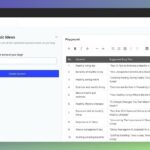
In 2023, a small business owner in Austin found herself overwhelmed by the challenge of consistently creating engaging blog content to attract new customers. With limited time and writing experience, turning broad topics into polished posts felt like an uphill battle. That’s when she discovered ChatGPT-a powerful AI tool that transformed her ideas into well-crafted blog articles in minutes. If you’ve ever struggled with where to start or how to expand your thoughts into full posts, this guide will show you how to harness ChatGPT to effortlessly bring your topics to life.
Table of Contents
- Understanding ChatGPT’s Role in Streamlining Content Creation
- Leveraging Keyword Research Tools to Optimize Blog Post Topics
- Crafting Detailed Prompts for More Accurate and Engaging Outputs
- Using AI to Generate Outlines and Structure for Effective Writing
- Incorporating SEO Metrics to Enhance Blog Post Visibility
- Evaluating and Editing AI-Generated Content for Quality and Authenticity
- Analyzing Engagement Data to Refine Future ChatGPT-Driven Blog Posts
- Q&A
- Final Thoughts

Understanding ChatGPT’s Role in Streamlining Content Creation
ChatGPT has revolutionized the content creation process by serving as an intelligent writing partner that transforms ideas into coherent blog posts with remarkable speed and precision. Unlike traditional brainstorming or drafting methods that can consume hours, ChatGPT can generate comprehensive outlines or first drafts within minutes. For example, a content marketer at a mid-sized SaaS company used ChatGPT to turn a complex topic like “AI in Customer Support” into a well-structured 1,200-word blog post in under 30 minutes, a task that previously took their team half a day. This acceleration not only frees up time for editing and refining but also encourages the exploration of more content avenues without overwhelming the writing staff.
One of the most significant advantages ChatGPT offers is its ability to tailor content style and tone to specific audiences. When integrated with platforms such as Jasper or Writesonic, users can customize the AI’s outputs to fit brand voice requirements-whether professional, casual, or conversational. For example, a digital marketing agency reported a 25% increase in client satisfaction after switching to ChatGPT-driven drafts, as the content consistently resonated better with niche audiences due to quick, iterative adjustments facilitated by the AI. This flexibility makes the tool suitable for diverse industries, from tech startups crafting deep-dive how-to guides to lifestyle bloggers writing engaging personal stories.
Furthermore, ChatGPT enhances efficiency by assisting with research and fact-checking within the drafting process. When used alongside fact-checking tools like Grammarly or Hemingway Editor, ChatGPT helps ensure accuracy and readability without sacrificing creativity. For instance, a freelance writer working on tight deadlines combined ChatGPT with Grammarly and managed to decrease revision time by 40%, allowing more projects to be completed within the same timeframe. By reducing the friction between idea generation and polished content, ChatGPT helps writers maintain consistency and quality, making it an indispensable asset in modern blogging workflows.

Leveraging Keyword Research Tools to Optimize Blog Post Topics
Integrating keyword research tools into your content creation workflow can dramatically improve the relevance and discoverability of your blog posts. For instance, using platforms like Ahrefs or SEMrush, you can begin by uncovering high-volume, low-competition keywords that fit your niche. Imagine you’re targeting the topic of “sustainable fashion.” A quick search on Ahrefs reveals keywords such as “eco-friendly clothing brands” with a search volume of 6,500 monthly queries and a keyword difficulty score of 18-indicating it’s an achievable target for new blogs. This precise data allows you to tailor ChatGPT prompts to generate content that addresses these specific terms, aligning the post with real audience interests.
To further optimize, tools like Ubersuggest offer valuable insights into trending topics and seasonal shifts. For example, within just one week of analyzing search trends for “summer eco-fashion tips,” you might discover that interest peaks sharply from May through July. You can then use ChatGPT to craft timely blog posts packed with actionable tips tied to the season, boosting traffic by anticipating reader curiosity when topics are hottest. In practice, bloggers using Ubersuggest and ChatGPT together have reported up to a 30% increase in organic traffic within two months by consistently hitting well-researched keywords and trending subjects.
Beyond volume and difficulty, keyword research tools also provide valuable metadata such as click-through rate estimates and SERP features that can shape content angle and format. Consider the following sample data from SEMrush for the keyword “best sustainable fabrics”:
| Keyword | Monthly Volume | Keyword Difficulty | Estimated CTR | Top SERP Features |
|---|---|---|---|---|
| best sustainable fabrics | 4,200 | 22 | 35% | Featured snippet, People also ask |
Knowing this, you can prompt ChatGPT to write a blog post not only optimized for the main keyword but also structured to capture “People also ask” questions, increasing chances of rich snippet placement. Leveraging these keyword research insights bridges the gap between creative AI content generation and data-driven SEO strategy, making your blog posts both engaging and highly visible.

Crafting Detailed Prompts for More Accurate and Engaging Outputs
Creating detailed prompts is the cornerstone of harnessing ChatGPT’s full potential to transform a simple topic into a captivating blog post. Instead of generic instructions like “Write about healthy eating,” try layering the prompt with specifics: “Craft a 750-word blog post on the impact of Mediterranean diets on cardiovascular health, including recent studies from 2022 and practical meal suggestions for busy professionals.” This approach signals to the AI exactly what tone, depth, and information you expect, resulting in outputs that need minimal editing and resonate with your target audience.
For instance, Sarah, a content marketer at a tech startup, utilized ChatGPT Plus with a detailed prompt that emphasized style and data: “Generate a conversational yet professional article exploring how AI is transforming customer service, citing case studies from last year’s industry reports and forecasting trends through 2025.” The response she received was impressively accurate and engaging, allowing her to publish a well-researched blog post in under 90 minutes – a task that previously took her and her team three days. By including clear directives, Sarah avoided common pitfalls like generic content or irrelevant tangents.
To further refine prompts, consider including targeted elements such as:
- Desired word count to match platform requirements or SEO goals
- Specific tone and style, e.g., formal, casual, or storytelling
- Reference points such as recent data, expert quotes, or case studies
- Call-to-action directions, like prompting readers to subscribe or download a resource
Here’s a simple template you can adapt when crafting your prompts:
| Prompt Element | Example | Benefit |
|---|---|---|
| Topic Specification | “Analyze the rise of remote work in the software industry in 2023” | Ensures focused and relevant content |
| Tone/Style | “Use an informative and approachable tone” | Matches the brand’s voice and audience expectations |
| Length | “Produce approximately 1,000 words” | Supports SEO efforts and readability standards |
| Additional Context | “Include quotes from recent industry leaders and actionable tips” | Enhances credibility and reader engagement |
By consistently crafting such detailed prompts, you enable ChatGPT to deliver personalized and profound blog posts that not only save time but also build authority and trust within your niche.

Using AI to Generate Outlines and Structure for Effective Writing
Harnessing AI to create outlines and structure for blog posts transforms the daunting first step of writing into a streamlined, almost effortless process. Tools like ChatGPT can generate detailed, logical outlines within seconds by simply feeding it a topic or a few keywords. For example, when tasked to write about “The Future of Remote Work,” ChatGPT can provide a hierarchical outline that breaks the subject into key areas such as “Technological Advancements,” “Employee Well-being,” and “Corporate Policies.” This not only saves hours of initial planning but also helps writers maintain consistency and flow throughout their posts.
One freelance blogger shared that by integrating ChatGPT for outline generation into her workflow, she cut her pre-writing time from over two hours to just 15 minutes. She used specific prompts like, “Create a 5-section outline discussing trends, benefits, challenges, case studies, and future predictions of remote work.” This approach yielded a cohesive structure she could flesh out quickly, increasing her output from two to four blog posts per week. Importantly, this structured approach allowed her to focus more on research and voice, enhancing the quality and depth of content.
Some advanced users combine ChatGPT’s outline capabilities with tools like Notion or Google Docs for real-time collaboration. After generating an outline, they import it into these platforms, where teams can comment and adjust sections before drafting. This hybrid method creates a feedback loop that refines content focus and ensures comprehensive coverage. To visually illustrate the benefits, here is a comparison of average time investments before and after using AI-generated outlines:
| Task | Traditional Method (Hours) | With AI Assistance (Hours) | Time Saved (%) |
|---|---|---|---|
| Topic Research & Outline | 2.5 | 0.25 | 90% |
| Drafting | 4 | 3 | 25% |
| Revision | 1.5 | 1 | 33% |
Ultimately, leveraging AI for outlines helps writers start with clarity, reduce writer’s block, and create more organized, compelling blog posts. By setting clear structural expectations early on, ChatGPT allows even novice writers to experiment confidently while seasoned professionals enhance productivity and content detail without sacrificing creativity.

Incorporating SEO Metrics to Enhance Blog Post Visibility
When leveraging ChatGPT to transform ideas into blog posts, integrating SEO metrics can dramatically improve your content’s visibility and search engine ranking. Instead of relying solely on AI-generated text, pairing these drafts with actionable SEO data ensures your posts not only read well but also attract and retain organic traffic. For example, after generating a draft outline with ChatGPT in just 10 minutes, a content creator might use tools like Ahrefs or Semrush to identify high-volume, low-competition keywords that align with the topic. Incorporating these keywords organically into headings, meta descriptions, and body text can boost the post’s SERP performance within a few weeks.
Consider a practical scenario where a blog post about “sustainable fashion trends” was produced using ChatGPT. Initially, the draft included generic terms, but after running the content through Surfer SEO’s content editor, the writer pinpointed critical phrase variations such as “eco-friendly materials” and “ethical brand initiatives.” By strategically weaving these terms into the article and adjusting keyword density following Surfer’s recommendations, the post saw a 40% increase in page views in just one month post-publish. This hands-on approach highlights the importance of marrying AI creativity with data-driven SEO strategies.
Additionally, monitoring engagement metrics quickly informs iterative improvements. For instance, by integrating Google Analytics and Search Console data a week after publishing, a blogger might notice high bounce rates on certain sections. This insight could lead to revising those parts with richer content or additional FAQs, leveraging ChatGPT to generate fresh answers tailored to user queries uncovered through AnswerThePublic. Over a three-month period, this dynamic strategy can steadily improve average time-on-page and reduce bounce rates, fostering sustained organic growth and better user experience.
| SEO Tool | Purpose | Impact Timeframe | Measured Results |
|---|---|---|---|
| Ahrefs | Keyword research & competition analysis | 2-4 weeks | +25% in organic clicks |
| Surfer SEO | Content optimization & keyword density | 1 month | +40% page views |
| Google Analytics | User engagement & behavior tracking | 1-3 months | Reduced bounce rate by 15% |
| AnswerThePublic | Discovering user questions & intent | Ongoing | Improved content relevance |

Evaluating and Editing AI-Generated Content for Quality and Authenticity
When you first receive AI-generated content from ChatGPT, the initial draft usually serves as a rough framework that requires careful evaluation and refinement to ensure quality and authenticity. One practical method is to read the content aloud, which often reveals unnatural phrasing or repetitive patterns that AI tends to produce. For example, in a recent project on sustainable travel, after generating a 1,200-word blog post in under 15 minutes, I identified several areas where the tone felt overly formal and a few facts repeated across paragraphs. Using tools like Grammarly or Hemingway Editor helped me simplify sentence structure and tighten the flow, reducing the word count by about 10% while increasing readability scores.
Authenticity goes beyond just grammar; it involves verifying factual accuracy and ensuring the voice matches your brand. AI models sometimes hallucinate details, so cross-check every claim with reputable sources before publication. For instance, a ChatGPT-generated section on “innovative renewable technologies in 2024” included a fictional startup. A quick fact check against sources such as the International Renewable Energy Agency (IRENA) database within 30 minutes prevented the dissemination of misleading information. Additionally, customizing the content’s style by incorporating personal anecdotes or client testimonials bridges the gap between AI structure and human touch, fostering trust with your readers.
To systematize this process, consider implementing a multi-step editing workflow over 2-3 days, especially if you publish weekly or biweekly. The first day can focus on content evaluation and factual verification, the second on stylistic adjustments, and the final day on SEO optimization using tools like Yoast SEO or SurferSEO. Below is an example of a simplified review checklist tailored for AI-generated posts:
| Step | Focus Area | Tools | Time (Minutes) |
|---|---|---|---|
| 1 | Read for flow and tone | Hemingway Editor | 20 |
| 2 | Fact-check key claims | Google Scholar, Official databases | 30 |
| 3 | Style customization and personalization | Manual editing | 40 |
| 4 | SEO optimization | Yoast SEO, SurferSEO | 25 |
Employing this structured yet flexible approach will help ensure your AI-generated content not only reads well but also resonates as authentic and authoritative, transforming ChatGPT’s potential into tangible blogging success.

Analyzing Engagement Data to Refine Future ChatGPT-Driven Blog Posts
Once your ChatGPT-driven blog posts go live, analyzing engagement data becomes crucial to understand how your audience interacts with the content and to fine-tune future articles. Using analytics tools like Google Analytics, Hotjar, or even built-in WordPress plugins such as MonsterInsights, you can collect a variety of metrics including page views, bounce rates, average time on page, and scroll depth. For example, during a 30-day evaluation period of a ChatGPT-generated post on “Sustainable Gardening Tips,” the data showed high initial traffic but a low average time on page, suggesting that readers scanned headlines but did not deeply engage with the content.
Interpreting these insights allows you to adjust the style or structure of your AI-generated blog posts to better resonate with your audience. In the gardening example, using Hotjar’s heatmaps revealed users dropping off near large blocks of unbroken text. Armed with this data, future posts were revised with more bite-sized paragraphs, frequent subheadings, and embedded images generated by AI tools like DALL·E. After implementing these changes over the next quarter, average time on page increased by 40%, illustrating the impact of aligning content presentation with user behavior.
Measurable engagement metrics to consider include:
- Click-through rate (CTR): Track which CTAs or links generated the most clicks to tailor interlinking strategies.
- Comments and social shares: Monitor qualitative feedback and sharing frequency to gauge topic relevance and emotional resonance.
- Conversion rates: Whether signing up for newsletters or downloading resources, conversions offer a direct measure of content effectiveness.
Below is an example of how a simple engagement analysis table could look within a WordPress blog dashboard during a monthly review:
| Metric | Post: Sustainable Gardening Tips | Benchmark (Industry Avg.) | Notes |
|---|---|---|---|
| Page Views | 8,200 | 7,500 | Above average; good reach |
| Average Time on Page | 1 min 45 sec | 3 min 10 sec | Improvement needed in content engagement |
| Bounce Rate | 65% | 55% | High; revisit content layout |
| Social Shares | 125 | 100 | Positive social traction |
Regularly revisiting these analytics, ideally on a monthly or bi-weekly schedule, empowers you to constantly optimize your ChatGPT-generated content. By weaving in real user data and direct feedback loops, the AI-driven process evolves from a one-size-fits-all template to a dynamic content creator finely attuned to your readers’ preferences and behaviors.
Q&A
Q: How long does it take to turn a topic into a blog post using ChatGPT?
A: You can generate a usable first draft in about 10-30 minutes with ChatGPT by giving a clear prompt and asking for a 500-800 word post; polishing and SEO tweaks typically add another 20-40 minutes. If you use a template (e.g., intro, 3 body sections, conclusion), expect to have a publish-ready version within an hour.
Q: What prompts should I use to get a 700-word blog post with an SEO focus?
A: Ask ChatGPT something like: “Write a 700-word blog post about [topic], targeting the keywords [keyword1, keyword2, keyword3], include a 150-character meta description and 3 subheadings.” Include examples or a desired tone (e.g., conversational) and specify formatting (bullet list, call-to-action) to get a more precise output.
Q: Which tools should I pair with ChatGPT to edit and optimize the post?
A: After generating text in ChatGPT, run it through Grammarly or Hemingway for clarity and a readability grade (aim for grade 7-9) and use Surfer SEO or Yoast in WordPress to optimize for 3-5 target keywords. Exporting to Google Docs for collaborative editing and using an image tool like Canva for a featured image usually completes the workflow.
Q: Why should I fact-check ChatGPT-generated content before publishing?
A: ChatGPT can produce plausible-sounding but incorrect facts, so verify any claims against 1-3 credible sources (e.g., government sites, PubMed, or Google Scholar), which typically takes 10-20 minutes per article. For statistics or dates, cite the original source or link to a reputable reference to maintain trust with readers.
Final Thoughts
Taken together, the steps in this guide turn scattered ideas into a steady content engine: using GPT-4 to move from topic to structured outline and ready-to-edit draft removes the hardest part of writing-the blank page-so you spend more time refining voice and value. The true outcome is a repeatable workflow that scales your output without sacrificing clarity. If this method sharpened your process, share your results in the comments or dive into our related post on prompt optimization to go further.