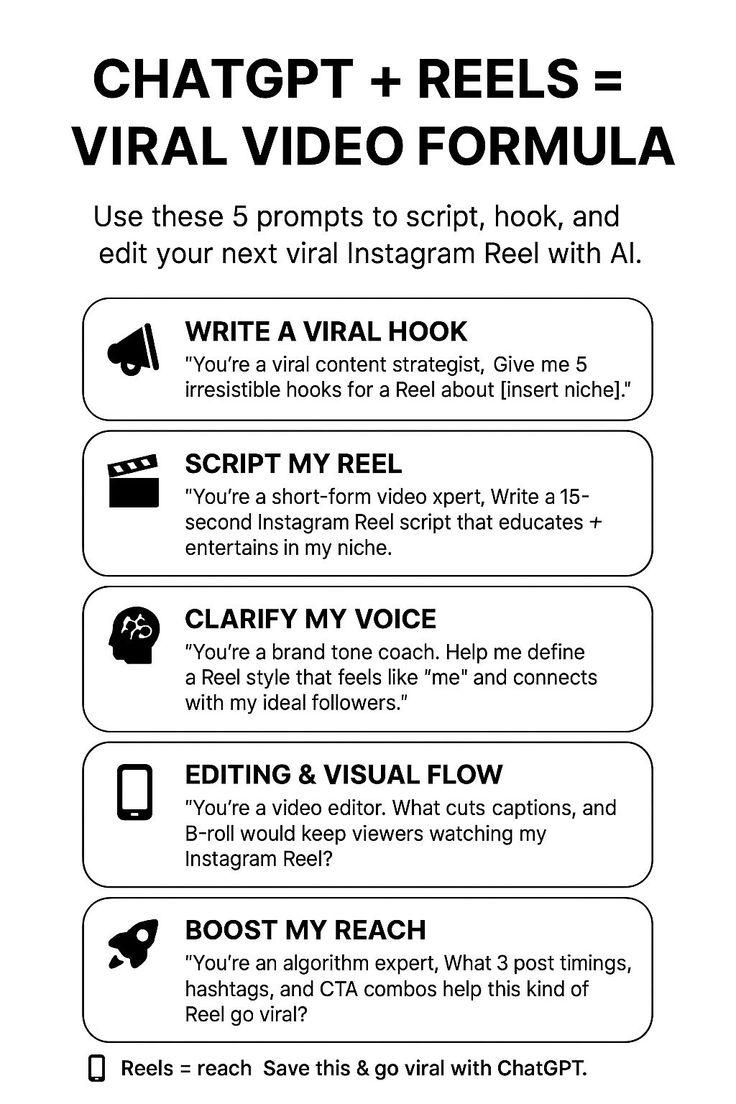
Want to create Instagram Reels that stop scrolling thumbs and spark endless shares? By combining the conversational genius of ChatGPT with the stunning visuals from MidJourney, you can craft content that’s both captivating and unique. In this guide, you’ll discover how to seamlessly blend AI-powered creativity with eye-catching imagery to make your Reels go viral. Let’s unlock the full potential of these tools and elevate your social media game like never before!
Table of Contents
- Harnessing ChatGPT for Scriptwriting and Concept Generation
- Leveraging MidJourney to Craft Stunning Visual Storyboards
- Merging AI-Generated Text and Images for Cohesive Reels
- Optimizing Reel Length and Format to Maximize Engagement
- Strategies for Seamless Editing and Timing with AI Outputs
- Incorporating Trending Audio to Enhance Viral Potential
- Analyzing Performance Metrics to Refine Future Content
- Q&A
- To Conclude
Harnessing ChatGPT for Scriptwriting and Concept Generation
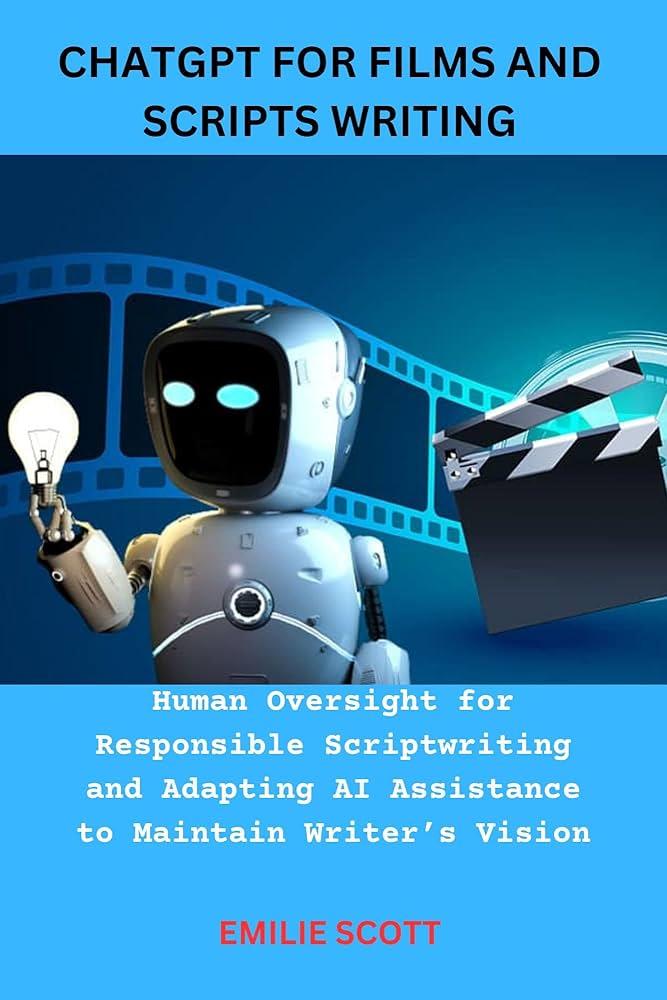
Transforming raw ideas into compelling narratives is where ChatGPT truly shines. By feeding the AI with a few thematic keywords or a rough storyline, you unlock a powerful brainstorming partner that can craft engaging scripts tailored to your target audience. Whether you need catchy dialogues, punchy hooks, or a scene-by-scene breakdown, ChatGPT offers diverse outputs that spark creativity and direction.
Key benefits of integrating ChatGPT in your scriptwriting process:
- Rapid generation of multiple script variations to test different tones and styles
- Idea expansion to uncover fresh angles or storytelling methods
- Automation of mundane tasks like dialogue polishing or scene descriptions
- Seamless collaboration as it acts like a virtual writing partner available 24/7
For concept ideation, ChatGPT’s ability to weave thematic elements with trending cultural motifs can elevate your content from generic to viral-ready. Use it to outline unique premises, taglines, or even unexpected twists that keep viewers hooked. By combining these outputs with MidJourney’s stunning visualizations, you create reels that resonate both narratively and aesthetically.
| ChatGPT Scriptwriting Task | Output Example | Benefit |
|---|---|---|
| Hook Creation | “Ever wondered why your morning coffee tastes better on weekends?” | Captures attention quickly |
| Dialogue Generation | Conversational exchange with humor and relatability | Makes content engaging |
| Scene Description | “A cozy kitchen with sun rays streaming through half-open blinds” | Helps visualize and guide MidJourney prompts |
Leveraging MidJourney to Craft Stunning Visual Storyboards
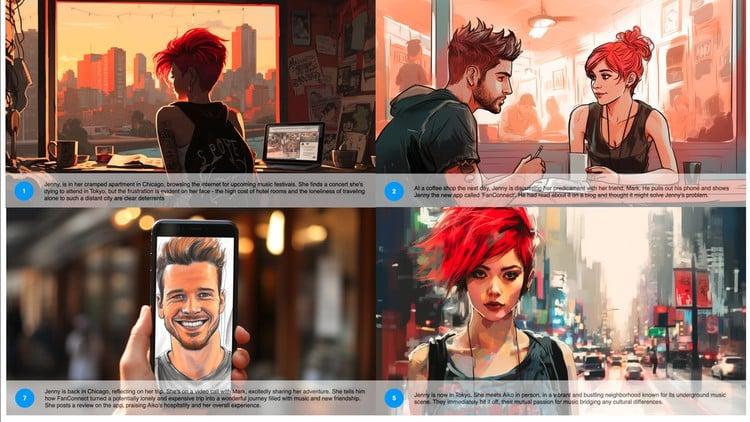
Visual storyboards are the backbone of captivating Instagram Reels, and MidJourney offers a powerhouse of AI-driven creativity to bring your ideas to life effortlessly. By feeding MidJourney with precise textual prompts, you can generate high-quality, vibrant imagery that perfectly aligns with the narrative flow of your content. This allows you to craft a visual roadmap that not only guides your reel’s production but also entices your audience from the first second.
To maximize your storyboard’s impact, consider these tips:
- Emphasize thematic consistency: Use MidJourney’s ability to replicate styles and moods throughout a series of images, ensuring your visuals maintain a coherent and engaging aesthetic.
- Incorporate bold color palettes: Inputs specifying color schemes can influence the tone, adding emotional depth to your storyboard.
- Experiment with composition: Request diverse framing options, from close-ups to wide shots, capturing all angles your reel might explore.
Here’s a quick comparison of storyboard elements you can enhance with MidJourney:
| Storyboard Element | MidJourney Advantage | Resulting Impact |
|---|---|---|
| Character Design | Customizable details and diverse styles | Unique personas that resonate with target audiences |
| Backgrounds | Rich, imaginative environments | Enhanced storytelling context and immersion |
| Color Themes | Tailored palettes to evoke mood | Stronger audience emotional engagement |
Merging AI-Generated Text and Images for Cohesive Reels
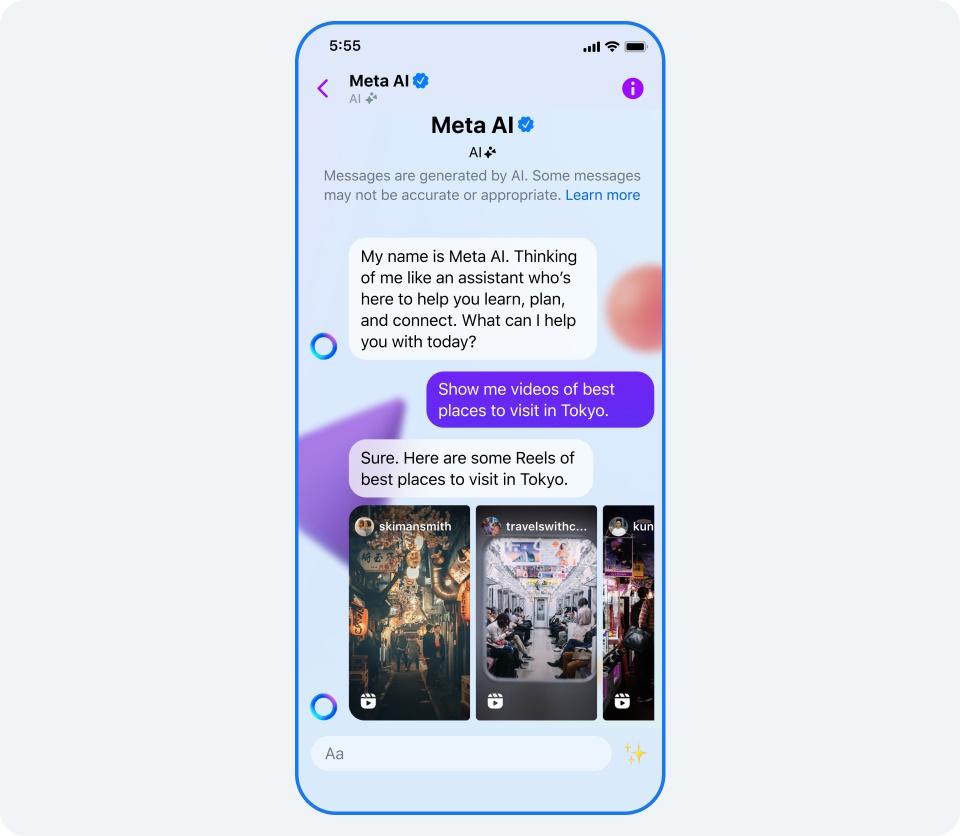
Bringing text and visuals into a harmonious narrative is the secret sauce for crafting Instagram reels that captivate and engage. With ChatGPT generating the script and MidJourney creating stunning visuals, the real magic lies in weaving both seamlessly into a single story. Start by using ChatGPT to draft concise, punchy captions or dialogue that will guide the reel’s flow – think of it as your storyboard’s backbone. Then, prompt MidJourney with vivid descriptions inspired by the script to produce images that amplify the emotion and tone you want to convey.
Key tips to ensure cohesion:
- Consistent Themes: Align your AI-generated text and images around a central theme, mood, or color palette that enhances storytelling.
- Visual-Pacing Sync: Match the rhythm of your reels by timing image changes to correspond with impactful lines or transitions in your script.
- Iterate with Feedback Loops: Alternate between text and image outputs, tweaking prompts until they feel like a natural pair rather than isolated elements.
To help visualize this workflow, here’s a simple table outlining the merged creative process:
| Step | ChatGPT Output | MidJourney Output | Purpose |
|---|---|---|---|
| 1 | Generate catchy script lines | Generate matching background images | Establish reel’s base narrative |
| 2 | Refine tone for engagement | Adjust image style/color | Enhance mood consistency |
| 3 | Divide script for timing | Pair images per segment | Create seamless flow |
By balancing AI creativity from both platforms, you harness their strengths to build reels that don’t just inform or entertain-they resonate. The result? Content that’s visually compelling, thoughtfully narrated, and perfectly tailored for sharing.
Optimizing Reel Length and Format to Maximize Engagement
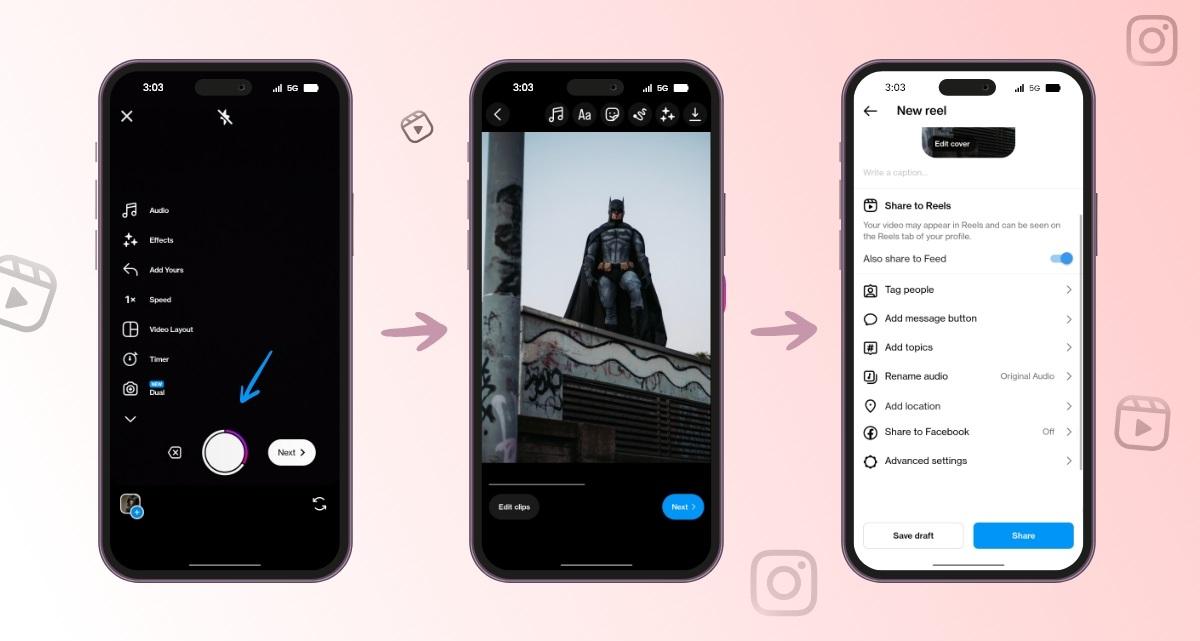
Striking the perfect balance between length and format can dramatically boost your Reel’s visibility and engagement. When combining ChatGPT’s content generation and MidJourney’s visual prowess, consider that attention spans on Instagram are short. Aim for Reels that are concise yet impactful-typically between 15 to 30 seconds. This timeframe gives enough space to deliver a compelling narrative created by ChatGPT, paired seamlessly with MidJourney’s captivating visuals, without overwhelming viewers.
Format is equally vital. Vertical videos (9:16 ratio) are non-negotiable for Reels, but you can experiment with dynamic elements generated by MidJourney to enhance this format. Use bold colors, striking contrasts, and subtle animations to grab attention immediately. ChatGPT can help you script punchy hooks or engaging captions that align perfectly with the visuals, ensuring every second counts.
| Reel Length | Recommended Use Case | Engagement Tip |
|---|---|---|
| 15 sec | Quick tips or jokes | Start with a bang, fast-paced visuals |
| 30 sec | Mini tutorials or storytelling | Use clear structure & strong CTA |
| 45-60 sec | In-depth demos | Break content into digestible chunks |

Strategies for Seamless Editing and Timing with AI Outputs
Blending AI-generated scripts with AI-created visuals calls for a sharp sense of rhythm and precision. Start by breaking down the ChatGPT script into succinct segments that sync naturally with MidJourney’s imagery. Use timestamps or visual cues within the text to gently guide the flow, ensuring each image matches the intended mood and pace.
Employ advanced editing tools that allow frame-by-frame adjustment, giving you the flexibility to stretch or shrink video clips without disrupting the dialogue pace. This harmony between audio and visuals transforms AI outputs from fragmented pieces into a unified story with compelling momentum.
- Use storyboard templates: Organize AI content structurally before editing.
- Leverage AI-powered editing plugins: Automate transitions and cuts for smoother results.
- Test pacing variations: Experiment with clip length to find optimal engagement.
| Editing Element | AI Tool Tip | Outcome |
|---|---|---|
| Script segmentation | ChatGPT prompts with timestamps | Improved timing accuracy |
| Image selection | MidJourney style consistency | Visual story coherence |
| Clip timing | Frame-precise editing | Smooth flow & engagement |
Incorporating Trending Audio to Enhance Viral Potential
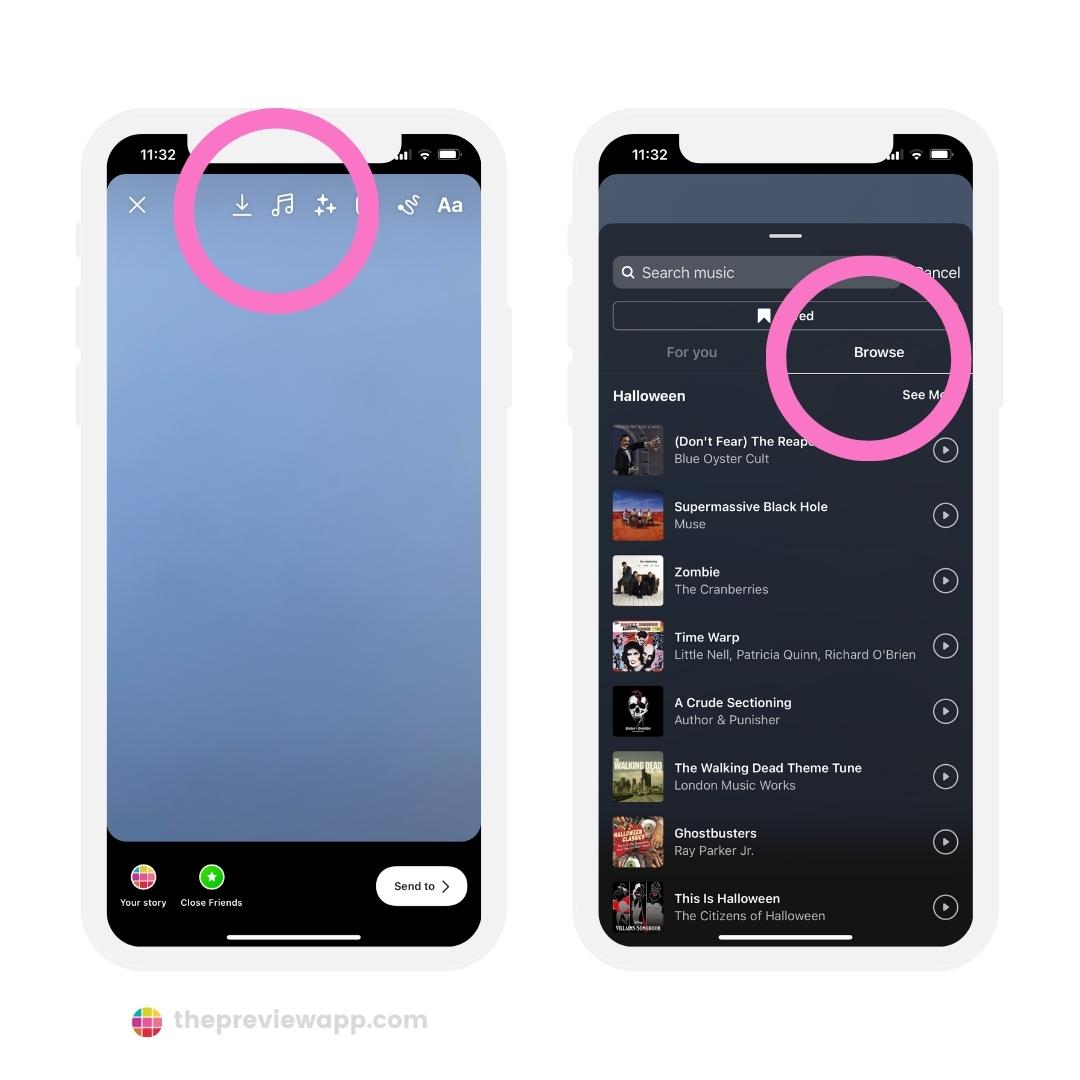
Leveraging trending audio tracks is a game-changer when aiming for virality on Instagram Reels. These audio snippets bring an instant sense of relevance and relatability, hooking viewers within seconds. When syncing your AI-generated visuals with the perfect trending sound, you amplify emotional resonance, turning passive scrolls into active engagement.
To seamlessly integrate sound with your content created using ChatGPT and MidJourney, start by monitoring Instagram’s Explore page or TikTok’s trending sounds feed. Pick audio that complements the theme or vibe of your visuals rather than just the most popular. This thoughtful pairing creates an immersive story that feels natural, not forced.
- Use ChatGPT to brainstorm creative concepts inspired by the emotion or message of the audio.
- Generate prompts for MidJourney that visually echo the beat, mood, or lyrics of the selected track.
- Experiment with timing to perfectly sync the AI-rendered content with key audio moments.
| Audio Type | Visual Theme | Engagement Tip |
|---|---|---|
| Upbeat Pop | Vibrant, energetic colors | Highlight rapid transitions for dynamic feel |
| Storytelling Voiceover | Minimalist, focused imagery | Align visuals closely with key narrative phrases |
| Ambient Instrumental | Soft gradients and smooth flow | Use slow reveals to draw viewers in |
Analyzing Performance Metrics to Refine Future Content
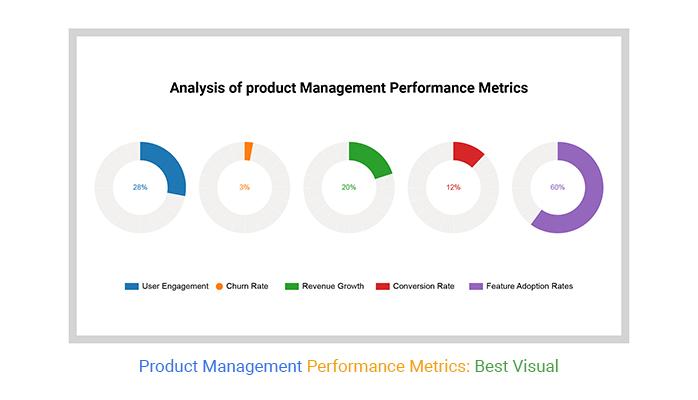
Once your Instagram Reels are live, measuring their impact goes beyond simple view counts. Dive into engagement metrics like likes, shares, comments, and saves to uncover which narratives resonate emotionally with your audience. Use this data to identify trends-whether it’s the style of visuals generated by MidJourney or the conversational tone crafted by ChatGPT that spark the most interaction.
Key performance indicators to monitor include:
- Engagement rate: The ratio of interactions to total views helps determine content effectiveness.
- Audience retention: Tracks how long viewers watch your Reels, signaling whether your story hooks quickly and holds attention.
- Hashtag reach: Measures discoverability based on hashtag performance, crucial for expanding your content’s footprint.
- Message sentiment: Analyze comment tone to better understand audience feelings and adjust messaging accordingly.
| Metric | Insight | Actionable Tip |
|---|---|---|
| Engagement Rate | Identify viral hooks | Replicate successful ChatGPT prompts and image styles |
| Audience Retention | Understand drop-off points | Optimize Reel length and pacing |
| Hashtag Reach | Discover trending tags | Adjust hashtags dynamically per post |
| Sentiment Analysis | Measure audience emotion | Refine tone and voice to boost positivity |
By consistently evaluating these metrics, you create a feedback loop that sharpens your content strategy over time. Allow ChatGPT to evolve your scripting based on learned audience preferences, while MidJourney adapts visual elements to align with trending styles. This synergy not only enhances virality but also builds a loyal and engaged Instagram community.
Q&A
Q: How do I combine ChatGPT and MidJourney in a simple workflow?
A: Treat ChatGPT as your scriptwriter and MidJourney as your art director: use ChatGPT to brainstorm concepts, hooks, captions and a tight 10-30 second script, then turn the script’s visual cues into MidJourney prompts to generate assets. Export images, assemble in a video editor with text overlays and music, and iterate until the pacing and visuals snap.
Q: What kinds of prompts get the best results from each tool?
A: For ChatGPT, ask for concise hooks, scene-by-scene action lines, and suggested hashtags or captions; be explicit about tone, length, and target audience. For MidJourney, translate those scene descriptions into style, lighting, camera angle, and color palette constraints, then refine with quick variations until the visuals match the script.
Q: How do I maximize a Reel’s chance of going viral?
A: Nail the hook in the first 1-3 seconds, keep rapid but clear pacing, pair bold visuals with trending audio, and include a one-line CTA or curiosity gap. Test different thumbnails, post when your audience is active, and reuse top-performing formats with fresh content.
Q: Are there copyright or usage issues I should watch for?
A: Yes-check MidJourney’s licensing and Instagram’s content and music rules before publishing, and avoid using copyrighted tracks or imagery without permission. When in doubt, favor royalty-free music and review each platform’s latest terms to stay compliant.
To Conclude
Combine ChatGPT’s rapid ideation and caption-writing with MidJourney’s vivid visuals to produce scroll-stopping Instagram Reels faster and more consistently. Give the workflow a try-and if it sparks something, share your Reel or read more for ready-to-use prompts.