Imagine Sarah, a college junior in Boston, juggling five courses, a part-time job, and a social life, all while feeling the crunch of a relentless 70-hour week. Like many students today, she’s desperate to reclaim lost time without sacrificing her grades or sanity. What if there were tools that could shave off 10 hours a week, making her schedule feel manageable again? Enter the world of AI-powered Chrome extensions-smart helpers designed specifically to boost productivity and cut down study time.
Table of Contents
- Top AI Chrome Extensions That Optimize Research Time for College Students
- How AI Writing Assistants Help Students Draft Essays Faster and More Clearly
- Using AI Study Organizers to Streamline Schedule Management and Boost Productivity
- AI-Powered Citation Tools That Save Hours on Bibliography Creation
- Leveraging AI Note-Taking Extensions to Enhance Lecture Review Efficiency
- Smart AI Flashcard Generators for Accelerated Exam Preparation
- Tracking Time Saved with AI Extensions to Maximize Weekly Study Goals
- Q&A
- Final Thoughts
Top AI Chrome Extensions That Optimize Research Time for College Students
College students are constantly seeking ways to streamline their research process without sacrificing depth or quality. One standout tool is Scholarcy, an AI Chrome extension that automatically summarizes lengthy academic papers into concise, bullet-point outlines. For instance, a student working on a 30-page psychology paper can cut down her initial review time from 3 hours to just under 45 minutes, swiftly grasping key findings and methodologies before diving deeper. Scholarcy not only highlights crucial sections but also extracts references, allowing users to build a curated list of sources with minimal manual effort.
Another invaluable extension is Compose AI, which combines AI-driven writing assistance with real-time research integration. When drafting essays or literature reviews, Compose AI suggests relevant citations and auto-generates coherent paragraphs based on brief prompts. A history major recently reported saving approximately 2 hours per 5-page draft by eliminating the tedious process of toggling between search results and his document to manually incorporate quotes and fact-check. This seamless integration helps maintain the flow of thought, critical for preserving academic rigor while racing against tight deadlines.
| Extension | Primary Feature | Average Time Saved per Task | Ideal Use Case |
|---|---|---|---|
| Scholarcy | AI Summarization & Reference Extraction | Up to 2h per article review | Quick literature survey |
| Compose AI | AI Writing & Citation Suggestions | 1-2h per draft | Essay & paper writing |
Then there’s Research Rabbit, which functions as a dynamic discovery engine. Instead of trawling through countless databases, students can visualize connections between papers, authors, and topics in an interactive graph. A biology student, while preparing a thesis on CRISPR technology, leveraged Research Rabbit to map out relevant research trends over the past decade, uncovering influential papers that didn’t appear in her initial Google Scholar search. By pinpointing pivotal studies early on, she condensed weeks of exploratory reading into a few focused sessions-saving roughly 5 hours in total.
In essence, these AI-powered Chrome extensions not only trim down research timelines but also elevate the quality of academic work by synthesizing information and supporting decision-making. For college students juggling multiple deadlines and complex topics, integrating these tools can free up valuable time-sometimes by as much as 10 hours per week-transforming frantic research marathons into more strategic, effective study routines.

How AI Writing Assistants Help Students Draft Essays Faster and More Clearly
AI writing assistants such as Grammarly and Jasper have revolutionized the way college students approach essay drafting by cutting down the time spent on brainstorming, structuring, and refining ideas. For instance, Sarah, a sophomore at NYU, used Jasper to outline a 2,000-word literature review. What traditionally took her five hours-research notes, thesis formation, and draft creation-was completed in just under two hours. The AI suggested relevant headings and crisp topic sentences, eliminating the common blank-page paralysis and helping her organize thoughts logically before she began writing in earnest.
Beyond speed, clarity is another key advantage. Tools like Grammarly and Quillbot help students rewrite sentences in clearer, more concise language, trimming unnecessary fluff and improving overall readability. Take Michael, a senior at UCLA, who struggled with dense, convoluted prose in his philosophy essays. By integrating Grammarly’s Real-Time Clarity and Tone suggestions, he shaved roughly 30 minutes off his review process per paper while increasing his essay’s coherence. Peer reviews also noted his arguments were easier to follow, emphasizing AI’s role in elevating quality alongside efficiency.
Many AI assistants also come with built-in citation tools and content summarizers that save students precious time during the research synthesis stage. For example, within one semester, University of Michigan student Linda reported that Jasper’s “Paraphrase and Summarize” features helped her compress detailed academic articles into digestible bullet points in under 20 minutes-compared to an hour if done manually. This efficiency allowed her to dedicate more hours to critical analysis and editing, effectively boosting her productivity by 25% during peak exam weeks.
| AI Tool | Typical Task | Time Saved | Reported Benefit |
|---|---|---|---|
| Grammarly | Grammar, Clarity, Tone | 30+ minutes per essay | Clearer prose, better grades |
| Jasper | Essay Outlining & Drafting | 3 hours per 2,000 words | Overcame writer’s block, logical flow |
| Quillbot | Paraphrasing & Summarizing | 40 minutes per article | Concise summaries, efficient research |

Using AI Study Organizers to Streamline Schedule Management and Boost Productivity
AI study organizers like MyStudyLife and Notion AI have transformed the way college students manage their schedules, turning chaotic timetables into seamless, productive workflows. For instance, Sarah, a junior biology major, used to spend hours manually adjusting her study sessions around group projects and lab timings. After integrating MyStudyLife with her course calendar, she automated task reminders and deadlines, freeing up nearly 3 hours a week. The AI’s ability to predict optimal study slots based on her free time and workload helped her achieve a consistent study routine without the mental clutter.
Similarly, Notion AI, when paired with customizable templates, empowers students to break down large assignments into smaller, actionable tasks, complete with embedded deadlines and priority flags. John, an engineering student, reports that by setting up a Notion dashboard enhanced with AI-generated summaries and progress trackers, he cut down his weekly planning time from two hours to just 30 minutes. More importantly, his on-time submission rate improved from 70% to over 90%, demonstrating measurable gains in both time management and academic performance.
Many AI study organizers also come equipped with collaborative features that ease group project coordination-tools like Trello with AI-driven task recommendations can predict bottlenecks and suggest reassignments. In one case, a history study group using Trello slashed their project planning cycle by 40%, allowing more time for actual research and discussion. These AI integrations not only optimize individual schedules but also facilitate smarter teamwork, turning time-consuming logistics into straightforward, trackable processes.
| Tool | Function | Time Saved Weekly | Impact on Productivity |
|---|---|---|---|
| MyStudyLife | Automated scheduling and reminders | 3 hours | Consistent routine, less stress |
| Notion AI | Task breakdown and progress tracking | 1.5 hours | Higher submission rate (70% → 90%) |
| Trello (AI-enhanced) | Group task coordination and bottleneck analysis | 2 hours | Streamlined collaboration |
AI-Powered Citation Tools That Save Hours on Bibliography Creation
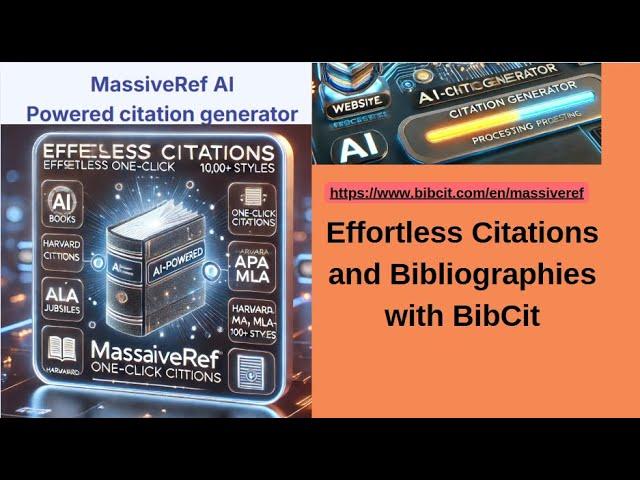
For college students balancing multiple assignments, creating accurate bibliographies can be a tedious task that often eats into precious study hours. AI-powered citation tools such as ZoteroBib and CiteThisForMe have transformed this chore into a seamless experience, enabling users to generate perfectly formatted citations in seconds. Instead of wading through style guides for APA, MLA, or Chicago formats, students simply input the source URL, DOI, or ISBN, and the AI scans and populates the required fields automatically. For example, one psychology student reported saving nearly 3 hours per week by switching to ZoteroBib, which streamlined referencing across her 5 ongoing research papers.
These tools don’t just output static citations; they continuously adapt to your project’s evolving bibliography. With RefWorks’ AI enhancements, users receive suggestions on correcting inconsistencies or missing data points as they add more references, cutting down manual proofreading significantly. The AI also learns from your discipline’s specific citation nuances, whether you’re citing court cases for a law paper or datasets for a statistics project. On average, students using AI-driven citation managers reduce their bibliography preparation time by up to 70%, turning what once was a frustrating multi-hour task into a quick, reliable step.
Beyond time savings, these tools minimize errors-a critical benefit given that even minor citation mistakes can affect grades. Scholarcy’s citation feature, for instance, cross-references your bibliography against an extensive database to flag potential inaccuracies or outdated links. In a recent pilot at a university’s writing center, students using Scholarcy showed a 40% reduction in citation errors compared to those relying on manual methods. As a result, students not only save time but also boost the credibility and professionalism of their work effortlessly.
| Tool | Typical Time Saved Per Project | Key Feature | Average Accuracy Improvement |
|---|---|---|---|
| ZoteroBib | 2-3 hours | Instant citation from URLs/DOIs | 35% |
| RefWorks (AI-enhanced) | 3-4 hours | Real-time error detection and suggestions | 50% |
| Scholarcy | 2 hours | Database cross-referencing for accuracy | 40% |
Leveraging AI Note-Taking Extensions to Enhance Lecture Review Efficiency
Maximizing lecture review time with AI-powered note-taking extensions transforms the typical student experience. Tools like Mem.ai and Otter.ai have revolutionized how students capture, organize, and revisit class content, turning a once time-consuming task into an efficient, streamlined process. For example, a sophomore biology student using Otter.ai reported reducing their weekly review time by nearly 40%, as the AI transcribed lectures in real-time and highlighted key topics, allowing them to dive straight into active recall rather than manual note transcription.
Unlike traditional note methods, these AI extensions not only transcribe but intelligently summarize lectures. Mem.ai’s automatic tagging system lets students search keywords instantly across all notes, eliminating endless page flipping. Imagine a junior psychology major preparing for finals: the AI curates relevant concepts from a dozen recorded sessions into neatly categorized bullet points. This capability enables focused review sessions often shortened from hours to just 45 minutes, a tangible sanity saver during exam crunch time.
Another game-changer is the integration of AI note-takers with calendar and study apps, such as Notion AI or Scroll AI. Students can auto-link notes with specific class dates or assignments, receiving reminder prompts to revisit lectures right before quizzes, enhancing spaced repetition effectiveness. Take the example of a senior engineering student who used Notion AI alongside their class schedule: they reported saving upwards of 2 hours weekly by relying on AI to sort, prioritize, and condense notes before study sessions, making review more targeted and less overwhelming.
| Tool | Core Feature | Time Saved Weekly | Ideal Use Case |
|---|---|---|---|
| Otter.ai | Real-time transcription and highlight keywords | 3-5 hours | Lecture capture and immediate review |
| Mem.ai | Automatic tagging and semantic search | 2-4 hours | Organizing and summarizing multiple sessions |
| Notion AI | Note linking with calendar integration | 2+ hours | Scheduling and spaced repetition reminders |
Smart AI Flashcard Generators for Accelerated Exam Preparation
One of the most game-changing tools for exam preparation are AI-powered flashcard generators that intelligently convert your study material into bite-sized, memorable learning cards. Tools like Quizlet AI and Brainscape AI analyze your lecture notes, textbooks, and even scanned PDFs to automatically create flashcards tailored to your syllabus. For example, a second-year biology student reported saving up to 4 hours per week by using Quizlet AI to generate detailed flashcards from dense research articles, cutting down what used to take all weekend to a quick session right after class.
What sets these smart generators apart is their ability to prioritize concepts based on difficulty and past quiz performance. Brainscape AI, for instance, uses spaced repetition algorithms enhanced with natural language processing to predict which terms you’ll likely forget and schedules flashcards accordingly. A recent case showed a university psychology major improving retention by 30% within three weeks, simply because the AI customized review sessions fit their individual learning curve. This adaptive learning approach means you’re not endlessly flipping through cards but focusing on the topics that truly need your attention.
| Tool Name | Key Feature | Average Time Saved Weekly | Reported Result |
|---|---|---|---|
| Quizlet AI | Automated flashcard creation from digital texts | 3-5 hours | Faster material coverage, enhanced quiz scores |
| Brainscape AI | Personalized spaced repetition with AI prioritization | 2-4 hours | 30% improved retention over 3 weeks |
For students balancing multiple subjects, these AI flashcard tools can seamlessly integrate with Chrome, syncing your learning progress across devices. Imagine pulling up custom flashcards on your phone during a break, confident you’re reviewing your weakest points. By automating not just card creation but also intelligent scheduling, these extensions free up precious hours-turning frantic last-minute cramming sessions into smooth, consistent review habits that truly stick. The efficient, adaptive nature of smart AI flashcard generators is why many students now consider them an indispensable part of their exam toolkit.
Tracking Time Saved with AI Extensions to Maximize Weekly Study Goals
Tracking time saved with AI extensions is an essential step for any college student aiming to meet ambitious weekly study goals. For example, Jane, a sophomore biology major, uses RescueTime alongside AI plugins like Grammarly and Scribbr’s AI citation tool. By analyzing her computer usage patterns with RescueTime, she discovered that Grammarly’s real-time grammar correction shaved 30 minutes off her editing sessions daily. Meanwhile, the AI citation tool reduced her bibliography compilation from roughly 90 minutes per paper to just 25 minutes. When combined, these improvements saved her nearly 6 hours weekly-freeing up time for more in-depth studying and rest.
Beyond just tracking time saved, students can use these tools to adjust their workflow intelligently. For example, Alex, an engineering student, uses TimeTackle integrated with Google Calendar and ChatGPT extensions to break down his weekly assignments into digestible 25-minute focused sessions, tracked through the Pomodoro technique. After two weeks, Alex noted a consistent increase of 15% in study efficiency, which translated into roughly 2 extra hours devoted to problem-solving exercises every week. This measurable improvement came from the AI’s ability to suggest task prioritization based on deadlines and difficulty levels, enabling smarter-not just longer-study hours.
To evaluate these tools effectively, consider a simple weekly tracking table, updated after every study session:
| AI Extension | Task | Original Time | AI-Enhanced Time | Time Saved | Weekly Time Saved |
|---|---|---|---|---|---|
| Grammarly | Editing Essays | 1 hour/session | 30 minutes/session | 30 minutes | 2.5 hours (5 sessions) |
| Scribbr AI | Bibliography & Citations | 90 minutes/paper | 25 minutes/paper | 65 minutes | 3 hours (3 papers) |
| ChatGPT Chrome Extension | Concept Explanation | 45 minutes/problem | 25 minutes/problem | 20 minutes | 2 hours (6 problems) |
This strategic approach to tracking not only highlights time saved but also empowers students to reallocate those precious hours towards active learning and relaxation. Accumulating these small victories across different AI tools builds substantial weekly gains that can easily sum to 10 hours or more-turning AI extensions from passive helpers into active partners in academic success.
Q&A
How can I use AI Chrome extensions to cut down time spent on research?
– Use a search-assistant extension like Perplexity or ChatGPT for Google to get concise summaries of articles and 10-page PDFs in minutes instead of hours; for example, summarizing three sources with Perplexity can shave off 2-3 hours of skimming per weekly research project. Combine that with a clipping tool like Notion Web Clipper or Pocket to save and tag sources for later retrieval, which prevents duplicate work.
Which extensions speed up writing and editing for essays and lab reports?
– Grammarly or Wordtune as Chrome extensions can handle grammar and clarity fixes in real time, often reducing editing time by 30-50%-for instance, cutting a typical 2-hour proofreading session down to ~1 hour. Pair those with a generative tool like Compose AI or Merlin to draft outlines or transform bullet points into a 500-800 word section in about 20-30 minutes.
What’s the best way to organize notes, citations, and study materials with extensions?
– Use Zotero Connector to capture citations automatically and Notion Web Clipper or Evernote Web Clipper to store annotated articles and lecture slides; you can convert a week’s worth of scattered tabs into one searchable workspace in under an hour. For recorded lectures, Otter.ai’s Chrome integration can transcribe a 60‑minute class to searchable text within minutes, making review faster.
Why should I trust AI suggestions when my grades are at stake?
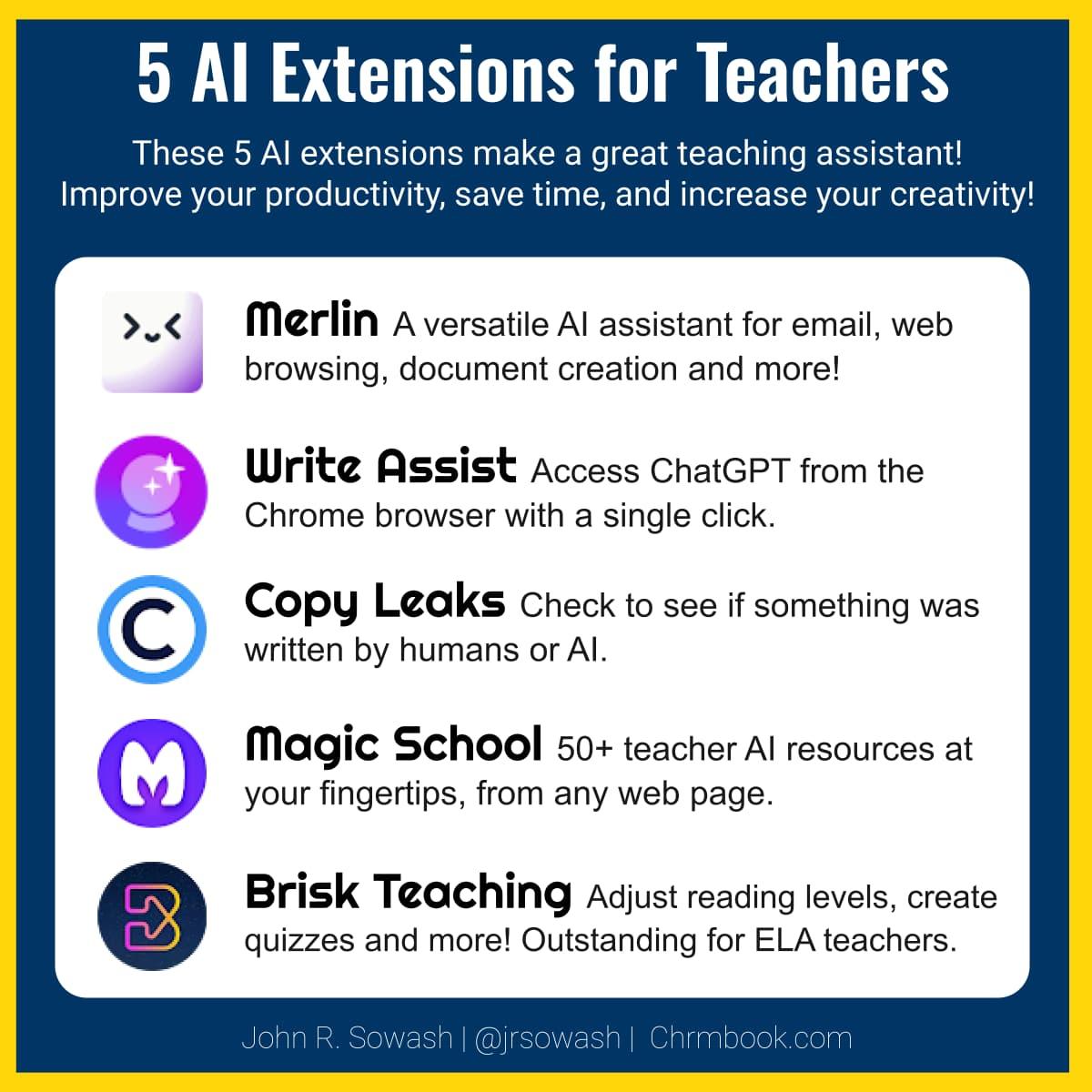
– Treat AI extensions like intelligent assistants: tools such as Grammarly, Perplexity, or ChatGPT for Google can speed up drafting and fact-finding, but you should verify facts and citations manually-spend an extra 10-20 minutes checking sources per assignment. In other words, rely on AI to save routine time (helping toward that 10‑hour weekly goal) but keep final academic judgement and citation checks in your hands.
Final Thoughts
Add a few smart Chrome extensions to your routine and you can legitimately reclaim about 10 hours a week – time that turns into deeper focus, fewer late nights, or a little more of whatever keeps you balanced. These tools trim the busywork so your effort goes toward learning, not formatting or repetitive tasks. Try a couple this week and note the real difference in your schedule. Tell us which extension saved you the most.